

Key Takeaways
The service light is usually a maintenance reminder, but it should be reset only after the required work is complete. The exact button sequence can vary with the vehicle’s age, display, and controls.
- Identify whether the illuminated symbol is a service reminder or a fault warning.
- Complete the scheduled maintenance before clearing the reminder.
- Use the service or oil-change interval shown on the instrument display.
- Hold the correct dashboard or steering-wheel control until the interval resets.
- Seek professional help if a fault message remains or the light quickly returns.
Check what the Renault service light means
Before learning how to reset Renault service light, identify what the dashboard is actually reporting. A routine service reminder is different from a warning that points to a potentially unsafe condition. Taking a moment to read the symbol and message can prevent you from clearing the wrong alert.
Difference between the service light and warning lights
A service reminder generally indicates that a scheduled maintenance interval has arrived. An oil-can symbol, check-engine light, brake warning, or electronic-system alert may have a different meaning and should not be treated as a simple reminder. If the display gives a specific fault message, record it before switching the ignition off.
The color and behavior of the light also matter. A reminder that appears at startup is not the same as a red warning that stays illuminated while driving. When in doubt, use the vehicle handbook rather than assuming every wrench-shaped symbol can be cleared with the same button sequence.
When routine maintenance is due
The reminder may be based on elapsed time, mileage, or both. It can relate to an oil change, filter replacement, inspection, or another scheduled item. The vehicle’s displayed interval is useful, but it does not replace checking the maintenance schedule for the specific engine and model year.
A general maintenance light explanation can help clarify why these reminders appear and why resetting one before service defeats its purpose. Treat the reminder as a prompt to verify the work that is due, not as a diagnosis of oil condition or overall vehicle health.
Why the light may appear after recent servicing
A reminder can remain visible when the service was completed but the interval was not reset. It may also appear if the wrong menu was selected, the ignition sequence was interrupted, or the vehicle stores separate service and oil-change intervals. On some displays, the message does not disappear until the reset has finished flashing.
Write down what was serviced and when. That small record makes it easier to distinguish an unreset reminder from a new warning, especially if the vehicle has recently been worked on by someone else.
Safety checks before resetting the dashboard
Resetting a maintenance reminder does not repair a mechanical or electrical problem. Before proceeding, check that the vehicle is parked securely, the engine is switched off, and no red warning light or urgent message is being ignored. If the car is running poorly, overheating, losing braking power, or showing unusual noises, stop and arrange an inspection instead.
A reset is appropriate only when the related maintenance has genuinely been completed. That is the most important safeguard in the process because an empty reminder can make a missed service less obvious.
Prepare your Renault for the reset
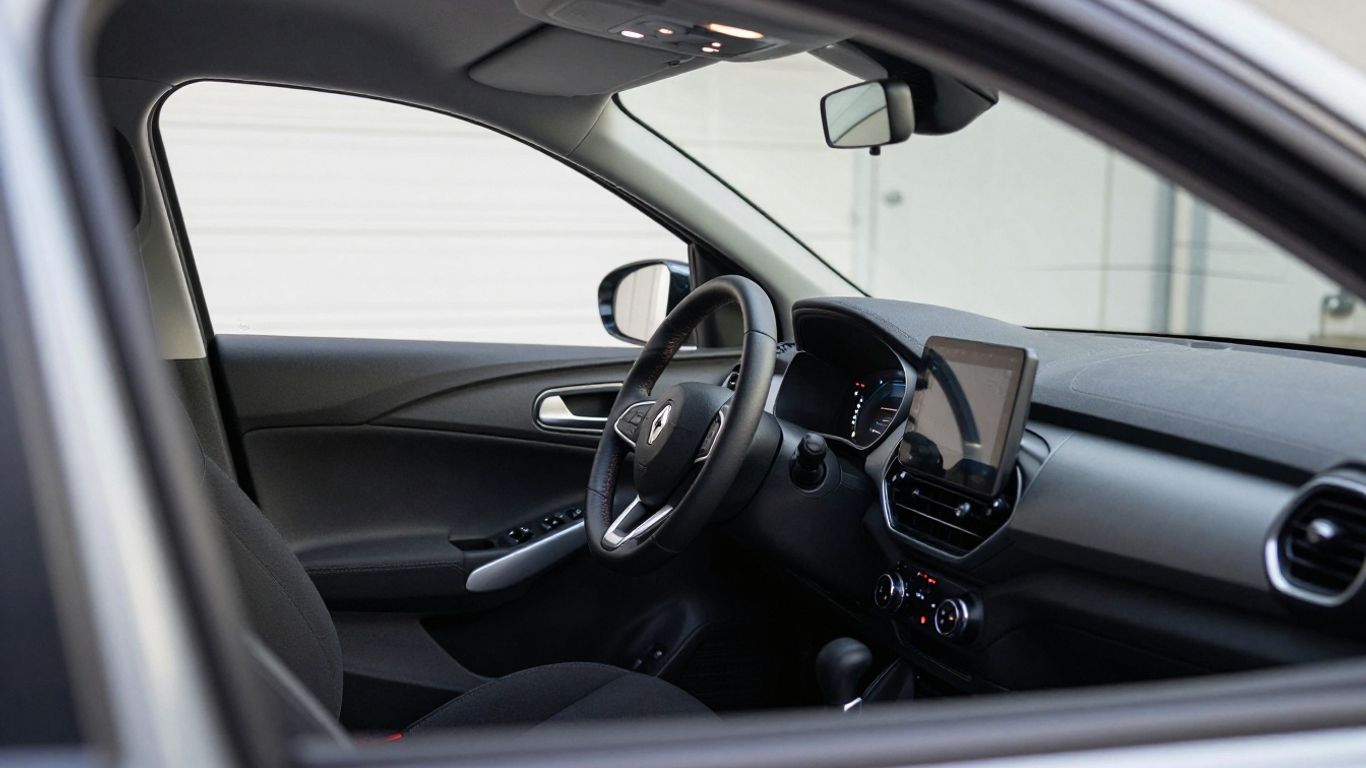
The reset normally takes place with the vehicle stationary and the ignition powered without the engine running. Small differences in keyless-start systems, trip buttons, and digital displays can change what you see. Preparation reduces the chance of selecting the wrong screen or accidentally starting the engine.
Park safely and switch off the engine
Choose level ground away from traffic and apply the parking brake. Switch the engine off fully before beginning, then allow the dashboard to go dark if the vehicle requires a complete power-down. Keep your hands clear of moving controls and do not perform the procedure while the vehicle is in motion.
If the car has been driven recently, there is no need to rush. Let the controls settle, then begin with the vehicle safely secured.
Check the vehicle’s ignition mode
For a conventional key, the ignition usually needs to be turned to the powered-on position without cranking the engine. With a keyless system, press the start button without pressing the brake or clutch, following the instructions in the handbook. The instrument panel should illuminate while the engine remains off.
If the engine starts, switch it off and begin again rather than trying to reset the interval while the vehicle is running.
Keep the driver’s door closed during the process
Closing the driver’s door helps keep the vehicle’s electrical state consistent. Some vehicles change display behavior when a door is open, and a keyless system may leave its standby mode unexpectedly. Sit in the driver’s seat, close the door, and keep the procedure uninterrupted.
Avoid opening the door, pressing unrelated pedals, or operating other electrical controls until the reset attempt is complete.
Confirm that the correct instrument display is active
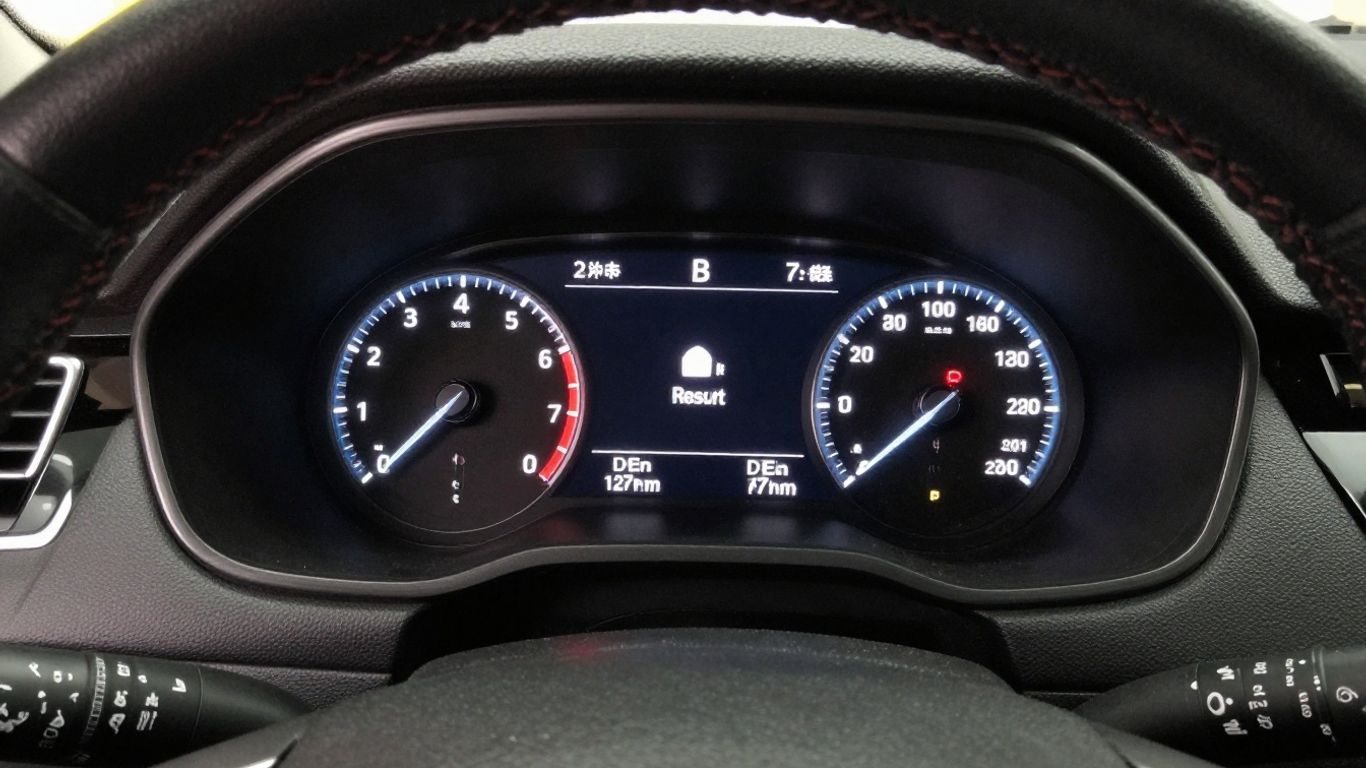
The display may be showing trip distance, fuel information, journey data, or another screen when you begin. Use the steering-wheel controls or dashboard button to locate the service, maintenance, or oil-change interval. Do not assume that the first screen shown after turning on the ignition is the one that can be reset.
For a useful example of reading service and oil-change information on a related digital journey display, see the on-board service information. The exact labels can still differ by model and year.
Reset the Renault service light using the dashboard controls
Most manual resets follow the same broad idea: power the ignition without starting the engine, display the relevant interval, and hold the designated control until the value flashes and changes. The button may be a trip-meter reset, an instrument-panel button, or a steering-wheel control. Use the control that belongs to the selected interval rather than pressing several buttons at once.
Turn on the ignition without starting the engine
Insert the key and turn it to the ignition-on position, or use the keyless-start sequence that powers the instruments without starting the engine. Wait for the dashboard to finish its initial display cycle. Starting the engine too early can take you out of the reset mode.
The screen should remain readable and the vehicle should stay stationary. If the panel goes dark, return to the powered-on position and repeat the step calmly.
Navigate to the service or oil-change interval
Cycle through the instrument display until you see the maintenance reminder, service interval, or oil-change interval. Some vehicles show remaining distance or time, while others display a service message or a symbol. If separate intervals are shown, identify which one was actually serviced.
A service reset reference illustrates why procedures can differ between models and why manufacturer service intervals still need to be followed. Use it only as background; your handbook remains the best source for the exact vehicle.
Press and hold the appropriate steering wheel or dashboard button
Once the correct interval is displayed, press and hold the relevant trip or menu control. The required hold time varies, so keep the button depressed until the display gives a clear response rather than releasing it after a quick tap. On some versions, a steering-wheel arrow or confirmation button is used instead.
If the controls change the displayed menu instead of beginning a reset, release the button, return to the interval screen, and try the control specified for that display.
Wait for the service interval to flash and reset
The interval may flash, count down, beep, or briefly disappear before a new value appears. Keep holding the control through that change. Interrupting the sequence can leave the old reminder in place even though the screen appeared to respond.
Use this simple sequence as a check while working:
- Ignition on, engine off.
- Service or oil interval selected.
- Correct button held continuously.
- Flashing or confirmation response observed.
After the response, wait a few seconds before pressing anything else. The new interval should remain visible or return to the normal information screen.
Switch the ignition off and verify the result
Turn the ignition completely off, wait briefly, and then power the dashboard on again without starting the engine. Navigate back to the same interval to confirm that the new value is present. If the reminder returns immediately, do not keep repeating the sequence without checking whether the displayed alert is actually a fault.
A short restart check is more reliable than assuming the reset worked because the light vanished temporarily.
Follow model-specific reset variations
Clio, Captur, Megane, and Scenic versions can use different dashboard layouts and control styles. Even within one model line, a physical trip button may be replaced by steering-wheel controls or a digital menu. The safest approach is to match the procedure to the controls visible in the vehicle rather than relying only on the model name.
Resetting the service light on a Renault Clio
On many Clio versions, the service interval is reached by cycling through the trip computer with a dashboard or steering control. With the ignition on and the engine off, select the service or oil-change display, then hold the associated control until the interval flashes and resets.
Older Clio instructions may refer to a trip-meter reset button. A Clio service light guide covers that kind of sequence, while also noting that a persistent light may point to a stored diagnostic code rather than an ordinary reminder.
Resetting the service light on a Renault Captur
A Captur with steering-wheel menu controls may require you to use the arrow keys to find the maintenance interval and then confirm or hold the selection. The screen wording can vary between an oil-change interval and a general service interval, so select the item corresponding to the work completed.
If the menu does not offer a reset action, check the handbook for the model year. Do not substitute a trip reset for a maintenance reset simply because both controls are near the instrument display.
Resetting the service light on a Renault Megane
Megane dashboards have appeared with several instrument and steering-control arrangements. The general method remains to switch on the ignition without starting, locate the relevant interval, and hold or confirm the reset control until the value changes.
Watch for separate oil and service entries. Resetting one may leave the other unchanged, which can make it seem that the procedure failed when the vehicle is simply displaying a different interval.
Resetting the service light on a Renault Scenic
On a Scenic, the service reminder may be accessed through the trip computer or a central display, depending on the generation. Keep the car stationary, select the maintenance entry, and follow the on-screen confirmation or button-hold instruction.
If the screen layout is unfamiliar, photograph the displayed message before attempting anything. That gives a technician useful information if the reminder turns out to be a fault message.
Differences between older and newer Renault displays
Older vehicles commonly use a physical trip reset button, while newer displays may use steering-wheel arrows, a confirmation key, or a touchscreen menu. The labels may also change from a simple service prompt to separate mileage and time values. These are interface differences, not a reason to reset every illuminated warning.
The most dependable model-specific reset procedure resource is still secondary to the owner’s manual because equipment and software can vary within the same nameplate.
Troubleshoot a service light that will not reset
A failed reset does not always mean the button was held incorrectly. The vehicle may be showing a different alert, the interval may not be the one connected to the completed work, or the controls may not support a manual reset. Work through the display and ignition basics before assuming a component has failed.
The service interval does not appear in the menu
Allow the dashboard to complete its startup sequence, then cycle through every trip-computer screen. Some vehicles show the interval only after the ignition is on without the engine running. If no maintenance entry appears, verify the vehicle’s exact model year and display type in the handbook.
A missing menu item can also mean that the reminder is not a routine service interval. Do not clear unrelated screens in the hope that one will remove the warning.
The reset button or steering controls do not respond
Check that the ignition is in the correct powered-on position and that the relevant interval is actively displayed. A quick press may change the menu, while a sustained hold is needed to begin the reset. Release the control and try again only after returning to the correct screen.
If several controls are unresponsive, the issue may involve the switch, steering interface, battery voltage, or instrument panel. Repeatedly forcing the button is unlikely to help.
The light returns after restarting the vehicle
First confirm whether the returned symbol is the same service reminder. If the interval has reverted to its former value, the reset sequence may have been interrupted or not completed. If a new message appears, read its wording and note any accompanying warning symbols.
A reminder that returns immediately after a completed reset can also indicate that the wrong interval was selected or that the vehicle requires a diagnostic procedure. Continuing to reset it may erase useful context without solving the underlying issue.
The dashboard shows a fault instead of a maintenance reminder
A check-engine, brake, airbag, steering, or electronic-system warning should be treated separately from a routine service prompt. Check the handbook for the symbol and avoid driving if the warning is red, flashing, or accompanied by unsafe behavior. A maintenance reset cannot correct a fault code.
If the vehicle feels normal but the message is persistent, arrange a proper diagnosis rather than relying on repeated button combinations.
When a diagnostic scanner may be required
A diagnostic scanner may be needed when a stored code is preventing the light from clearing, when the display does not expose a manual reset, or when a fault remains after maintenance. It can help identify whether the vehicle is reporting scheduled service or a system problem, but the code still needs to be interpreted in context.
The Dacia reset overview is a reminder that electronic reset requirements can vary by vehicle age and system. That information should not be transferred automatically to a different car.
Reset the light after completing maintenance
The reset should be the final record-keeping step, not the first response to an illuminated dashboard. Confirm the actual work, note the vehicle’s current mileage, and then set the reminder using the correct menu. This keeps the next prompt useful instead of shifting the maintenance history forward by mistake.
Confirm the oil and filter service is complete
Check the invoice, service notes, or your own maintenance record before clearing an oil-related interval. Verify that the required oil, filter, and inspection work were completed for the engine. If only one part of a combined service was done, do not assume every displayed interval should be reset.
The reset does not measure oil quality or confirm that a filter was installed. It only updates the dashboard reminder.
Record the new maintenance date and mileage
Write down the date, odometer reading, work performed, and any parts or fluids used. A photo of the reset display can supplement the written record, particularly when the vehicle has more than one service interval.
Good records help the next owner, technician, or future you understand why the reminder was cleared and when the next service should be planned.
Avoid resetting a warning light without diagnosing the cause
Never treat a persistent engine, brake, airbag, or electronic warning as a routine maintenance notification. Resetting such a light without finding the cause can delay repairs and make a later diagnosis less straightforward. If the warning is red, flashing, or linked to a change in vehicle behavior, stop driving when safe and seek assistance.
A scheduled service reminder can be reset after the work is complete; a fault warning needs an explanation first.
Check the owner’s manual for the exact Renault procedure
The handbook is the final reference for the vehicle’s ignition mode, menu labels, button location, and confirmation method. It also distinguishes routine intervals from system warnings. Search by model year and instrument display, not just by the broad model family.
If the printed manual is unavailable, an official vehicle information source or a qualified technician can help confirm the procedure before you attempt it.
Know when to contact a Renault technician
A manual reset is reasonable for a clear maintenance reminder when the required service has been completed. It is less suitable when the dashboard shows several messages, the vehicle behaves differently, or the reminder cannot be identified. Professional help is particularly sensible when the car has electronic service records or a fault that needs code-based diagnosis.
Warning lights that require immediate attention
Red brake, oil-pressure, coolant-temperature, airbag, or charging warnings deserve prompt attention, especially if they remain on after the engine starts. A flashing warning or sudden change in braking, steering, temperature, or engine noise is a reason to stop safely rather than attempt a reset.
Do not let a successful dashboard reset reassure you when the vehicle is showing symptoms of a real problem.
Persistent engine, brake, or electronic system messages
Messages that return after the ignition is cycled may indicate a stored fault or an issue that is still present. Note the exact wording, symbol color, and circumstances in which it appears. That information can save time during an inspection.
A technician can determine whether the message relates to maintenance, a sensor, wiring, or another vehicle system without relying on guesswork.
Vehicles with electronic service records
Some vehicles store maintenance information electronically rather than relying only on the visible reminder. A dashboard reset may not update a workshop record or prove that the service was carried out. Ask the service provider how the maintenance event is recorded when the vehicle uses an electronic history.
Keep your own receipts and mileage notes even when a digital record exists. They provide a useful backup.
Diagnosing faults that look like routine service reminders
A wrench or service-style icon can be easy to misread when it appears beside another symbol or message. Compare the complete display with the handbook and observe whether the vehicle drives normally. If the alert persists, a diagnostic inspection is safer than trying several unrelated reset methods.
A technician can also confirm whether the maintenance interval was set correctly after servicing and whether a separate warning remains active.
Conclusion
Resetting a Renault service light is usually a matter of selecting the correct maintenance interval and holding the right control with the ignition on and engine off. The critical step comes before the button sequence: make sure the scheduled service is complete and that the symbol is not a fault warning. If the reminder will not clear or returns immediately, stop guessing and have the vehicle checked.
Frequently Asked Questions
Can I reset the service light before changing the oil?
You should not. Resetting the reminder before completing the required maintenance can make the dashboard suggest that the vehicle is up to date when it is not.
Does resetting the service light fix a mechanical problem?
No. It changes the maintenance reminder but does not repair a mechanical, electrical, or emissions fault.
Should the engine be running during a service-light reset?
Usually the ignition is powered on while the engine remains off, but the exact ignition position depends on the vehicle and its controls.
Why does the service light return after I reset it?
The wrong interval may have been selected, the reset may not have completed, or the displayed alert may be a fault rather than a routine reminder.
Can the trip button reset every maintenance reminder?
Not necessarily. Some vehicles use a trip button, while others require steering-wheel controls, a menu confirmation, or diagnostic equipment.
Is a service light the same as a check-engine light?
No. A service light generally refers to scheduled maintenance, while a check-engine light can indicate a fault that needs diagnosis.
When should I use a diagnostic scanner?
Consider a scanner when a fault message persists, no manual reset option appears, or the light returns immediately after the correct maintenance reset.